
Automated Data Synchronization
Synchronize customers, invoices, payments, and product data between QuickBooks and connected systems automatically, ensuring financial information remains accurate and consistent across platforms.
Businesses often rely on multiple systems to manage sales, operations, and finance. QuickBooks integration software connects these systems with QuickBooks, allowing financial data to move automatically between platforms while reducing reconciliation effort and improving accounting accuracy.
Many organizations use multiple applications to manage operations, sales, and finance. QuickBooks integration software enables these systems to work together by synchronizing financial data, reducing manual updates, and providing better visibility into accounting activities across connected platforms.
Control listing management and user access from one system
Enable powerful search and discovery for all listings
Generate value through subscriptions and payments
QuickBooks integration software helps businesses reduce manual accounting effort by connecting QuickBooks with operational systems, ensuring consistent financial data, smoother processes, and better visibility across accounting activities.
Automatically sync financial data between QuickBooks and connected systems, reducing repetitive data entry and minimizing the risk of errors caused by manual updates.
Ensure customer, invoice, payment, and product data remain aligned across platforms, helping teams work with accurate and reliable accounting information at all times.
Reduce time spent on reconciliation and corrections by allowing data to flow seamlessly between systems, enabling teams to focus on higher-value financial tasks.
Access up-to-date financial information as transactions are synchronized, improving awareness of cash flow, invoicing status, and accounting activity.
Custom QuickBooks integration allows businesses to connect systems based on their processes, rather than adjusting workflows to fit rigid, prebuilt integrations.
Designed to support additional applications, data volume, and evolving requirements without disrupting existing accounting operations.
See how QuickBooks integration software can help streamline data exchange between your applications and QuickBooks, reduce manual accounting effort, and improve consistency across financial workflows.
Connect QuickBooks with your business applications and define integration scope, authentication, and connection rules to establish a secure and reliable data exchange.
Includes:
Map customers, invoices, payments, products, and accounts between systems. Validate data formats and rules to ensure accurate and consistent information transfer.
Includes:
Financial data is exchanged automatically between QuickBooks and connected systems based on defined triggers, eliminating manual updates and reducing reconciliation effort.
Includes:
Track synchronization status and identify exceptions through monitoring tools. Address errors quickly to maintain data accuracy and uninterrupted accounting workflows.
Includes:
Adapt the integration as business systems evolve. Support additional applications, higher transaction volumes, and workflow changes without disrupting accounting operations.
Includes:
QuickBooks integration software supports a variety of business scenarios by connecting accounting with operational systems, ensuring consistent financial data and reducing manual accounting work across departments.
RP-AXIS builds specialized software products designed to solve real operational and industry-specific challenges. Explore our other solutions built for scalability, automation, and long-term business value.
Our custom CRM application is designed to help businesses manage customer data, sales pipelines, and internal workflows more effectively. The platform centralizes customer interactions, improves visibility across teams, and supports process automation tailored to your business operations.
A comprehensive auction management platform that supports listing creation, bidding workflows, user management, and secure transactions. Designed for reliability and real-time performance, this solution helps organizations operate scalable and transparent online auction systems.
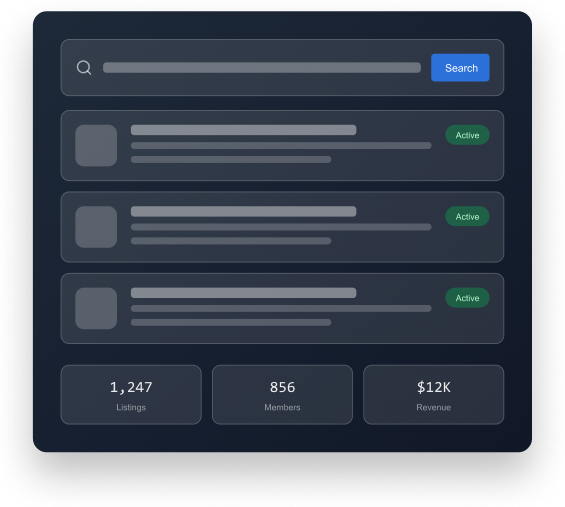
A flexible directory platform designed to manage listings, members, payments, and search functionality from a single system. Ideal for building business directories, employee directories, and searchable listing platforms.
This software streamlines drug testing workflows by managing scheduling, compliance tracking, reporting, and data storage. Built for laboratories and healthcare organizations, it helps maintain accuracy, regulatory compliance, and operational consistency.
Our accounting automation software reduces manual effort by automating invoicing, reconciliation, reporting, and financial data management. Designed to improve accuracy and efficiency, it helps businesses maintain better control over financial operations.
An end-to-end dealership management platform that supports vehicle inventory tracking, customer interactions, sales processes, and operational reporting. This system provides dealerships with better visibility and streamlined workflows across departments.
Real feedback from companies we’ve helped transform through software development.
“RP-AXIS approached our project with a clear understanding of our business needs. Their team provided valuable guidance throughout the development process and delivered a solution that aligned perfectly with our goals.”
SaaS Company
“The team at RP-AXIS demonstrated strong technical expertise and a collaborative approach. Communication was transparent, timelines were respected, and the final product exceeded our expectations.”
Professional Services Firm
“From initial planning to final delivery, RP-AXIS acted as a reliable technology partner. Their focus on quality, scalability, and long-term support made the engagement highly successful.”
Technology Startup
If you’re planning to connect QuickBooks with your business applications, our team can help assess your requirements and recommend the right integration approach based on your workflows and data needs.
QuickBooks can be integrated with CRM systems, e-commerce platforms, payroll tools, custom business applications, and other operational systems using APIs or custom integration logic.
QuickBooks integration services involve connecting systems, mapping data fields, defining synchronization rules, and automating data exchange to ensure accurate and consistent financial information across platforms.
Yes. Custom QuickBooks integration allows businesses to connect internally built or industry-specific applications with QuickBooks using tailored workflows and data mapping.
QuickBooks API integrations use QuickBooks APIs to securely exchange data between QuickBooks and other systems. They support scalable, reliable integrations for high-volume or complex accounting workflows.
Yes. Depending on configuration, data such as invoices, payments, and customer records can be synchronized in near real time, reducing delays in accounting updates.
Yes. Integrations use secure authentication, encrypted data transfer, and controlled access to protect financial and accounting data during synchronization.
Yes. Integration logic can be customized to match business-specific processes, data structures, and operational requirements without changing core accounting workflows.
Businesses that rely on multiple systems for sales, operations, or finance can benefit from integrating those systems with QuickBooks to improve accuracy, efficiency, and data consistency.
You can request a demo or consultation using the form on this page. Our team will review your systems, discuss integration requirements, and recommend an appropriate approach.